

I bet we’ve all been there, watching someone killing all their apps since it would positively impact their battery life on iOS. My wife is even constantly doing this and I just can’t break the habit. As an iOS developer, looking at the energy gauge every day, I know this has to change.
Last weekend, I noticed this tweet going viral. “THE button iOS will probably never get”. It’s a close all apps button, ouch. I decided it was time to get rid of the myth and show what actually happens when you close all apps.

If needed, you can also find this video on LinkedIn, X/Twitter, Instagram, and TikTok so you can share it with those who do this 😉
FREE 5-Day Email Course: The Swift Concurrency Playbook
A FREE 5-day email course revealing the 5 biggest mistakes iOS developers make with with async/await that lead to App Store rejections And migration projects taking months instead of days (even if you've been writing Swift for years)
The iOS app lifecycle
iOS apps run in different states. When you just open it, the app is foregrounded.
Active and inactive foreground state
The foreground state can be active or inactive, which is the difference between having the app open and having it moved to the background.
Background state
Eventually, the app transitions from foreground inactive to a background state. This can happen if the user lowers their arm or stops interacting. Apps can also be launched in the background to perform background tasks. While in the background state, the system gives apps only a small amount of execution time before suspending the app again.
Suspended state
Finally, the app moves into the suspended state. The system keeps the app in memory, but it isn’t executing any code anymore. The system suspends apps that are in the background state without any pending tasks to complete.
Purged state
The system can purge suspended apps at any time to free up space for other apps. It’s optimized to do this, based on your usage data. Users who kill apps manually force them into the purged state.
How the system optimizes based on usage
iOS is smart enough to keep frequently used apps in memory, so they resume quickly. This is great for the user experience and also efficient. The apps don’t have to load all the data from scratch, which reduces resource usage. This is the crucial part when it comes down to battery usage — reusing is more efficient than rebuilding.
Typically, the system decides this based on your dock, complications set on your active watch face, and your most recently executed app. If the system still needs to purge one of those apps due to memory constraints, it relaunches the apps as soon as possible once more memory becomes available.
What happens when users kill all apps manually
Users who kill all their apps basically force those apps into the purged state. They also force apps to be relaunched from scratch, likely resulting in increased energy consumption. It’s important to note that this varies by app and how well developers optimized their app launches with caching and related techniques. However, I’ve seen many apps over the years that did not pay enough attention to relaunching from purged states.
Therefore, it’s much better to respect the OS and let it do its optimization. As a user, you want the system to make its best effort to optimize memory usage. We should trust iOS engineers to optimize their app launches, but we benefit most by letting the system do what it does best.
How to analyze your iOS app’s launches
I won’t go into detail on how you can use Xcode’s Power Profiler instrument, as you should only dive deeper into this when you’re really optimizing the details. Low-hanging fruit can be found right in Xcode Debug Navigator:
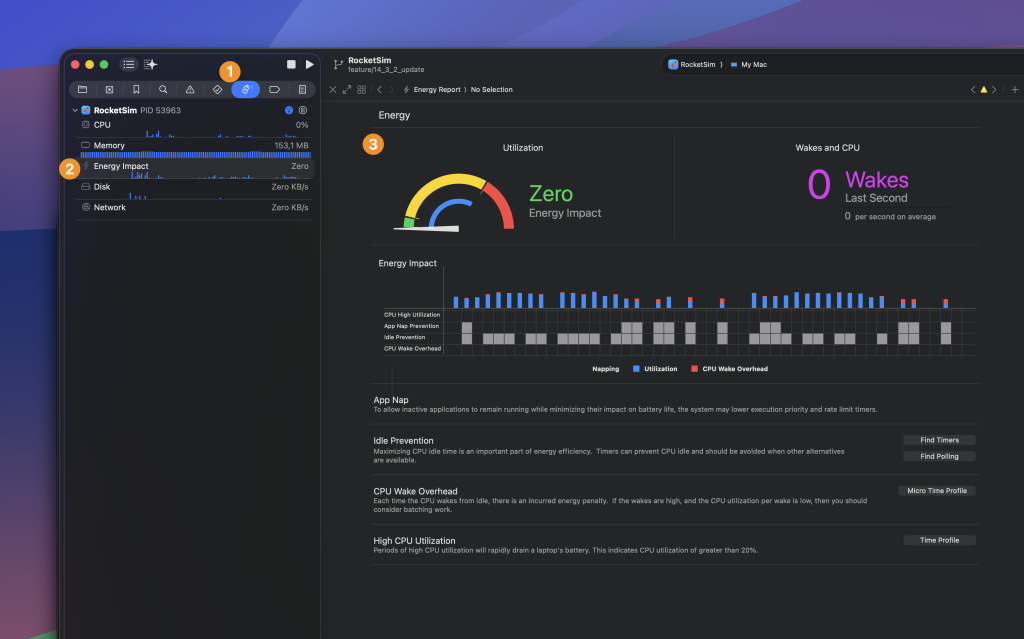
You can find it by:
- Opening the Debug Navigator
- Selecting “Energy Impact”
- Looking at the Energy gauge
Note that you’ll have to build on a physical device for iOS to show this information. For historical data you can open Window → Organizer and select the Battery of Energy page:
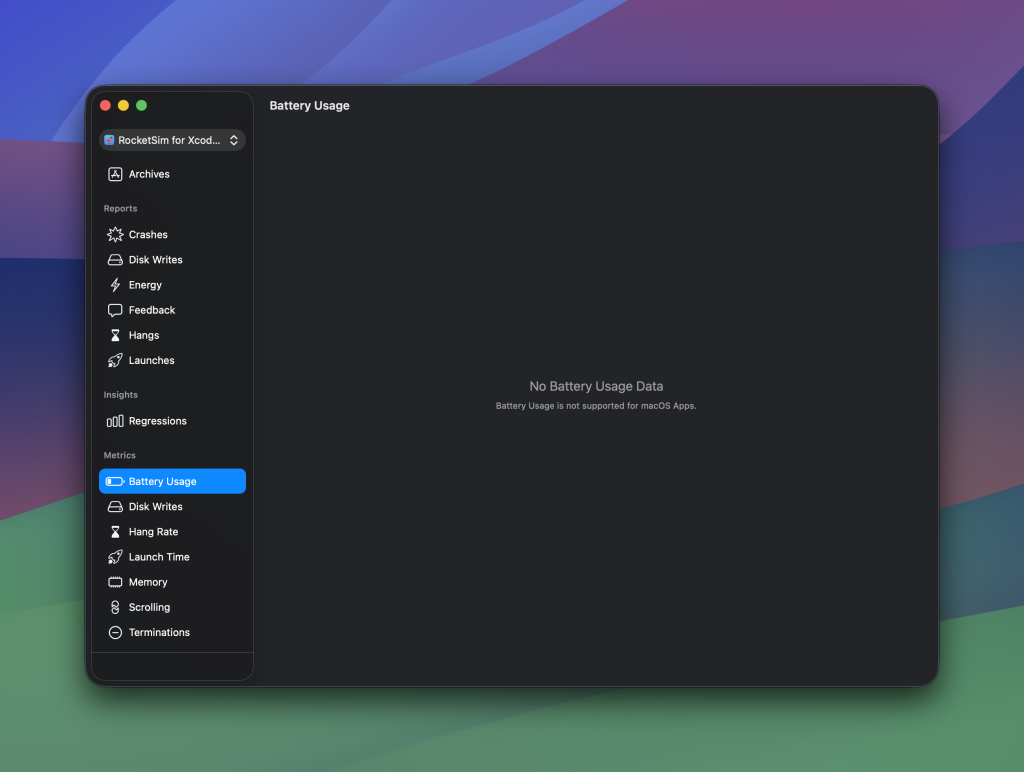
Unfortunately, as you can see, this does not work for macOS apps. However, I’m sure your iOS apps will show data!
Battery-related responsibilities as an iOS engineer
This article aims to explain to iOS users that it’s better to keep your app running in the background. However, I also want to make you, as an iOS engineer, aware that battery usage is something to take care of. For many apps, it’s fine to not pre-optimize. Look at your data inside the Organizer first before making conscious performance optimizations.
I’ve been developing the WeTransfer app for years, and we had quite a few complaints about battery usage. We could quickly clarify that this was caused by the background uploads our app was doing, but anything we could do to restore and support fresh app launches would at least lower our app’s overall energy consumption. The last thing you want is to show up high inside the iOS battery usage overview.
Conclusion
Hopefully, this article clarifies how the iOS app cycle works. Killing your apps should not be a habit and I truly hope my short video will help you explain it to your friends. I’ve at least had some fun sharing it with mine!
Thanks!